A storybook for your family's pocket money.
Write down pocket money together, by hand, in one family book that stays on your phone.
iPhone and iPad, in portrait and full screen. The ledger stays on the device; there is no Fiabelle server.





Try it here
These are real screens from the app, with a made-up family: Sam, Wren and Ollie. Premium is not switched on here, so you see each screen the way a free family does.
Tap the outlined spots inside the phone, or pick a scene.
Free
Home
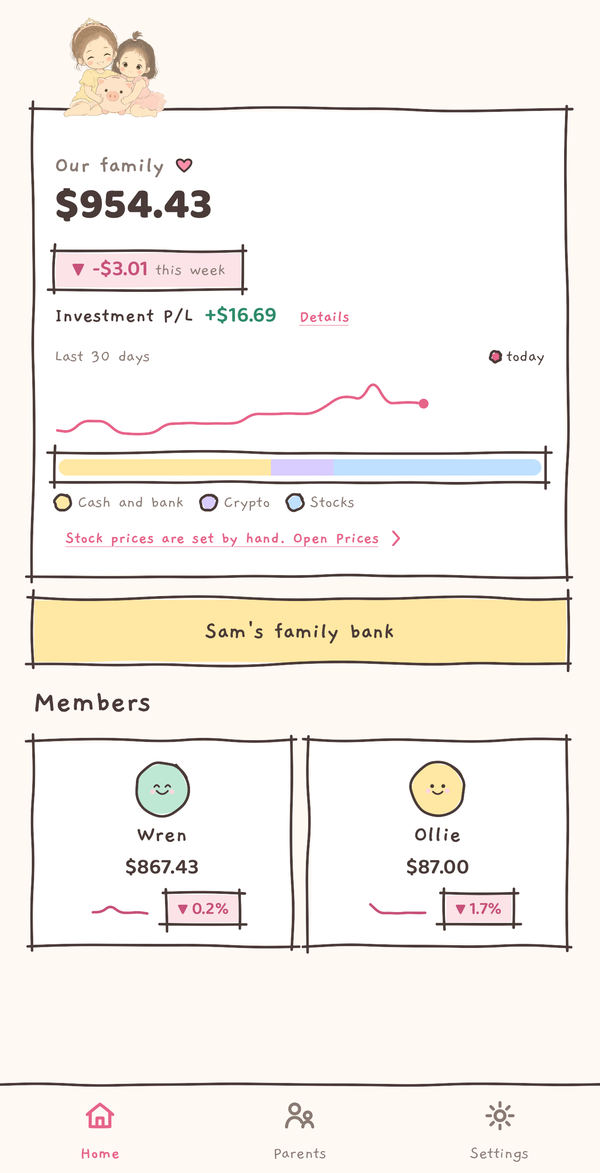
The whole family's money on one page: the family total, Sam's family bank and a card for each child. Room for a second child comes with Premium.
Tap Ollie or Wren.
Free
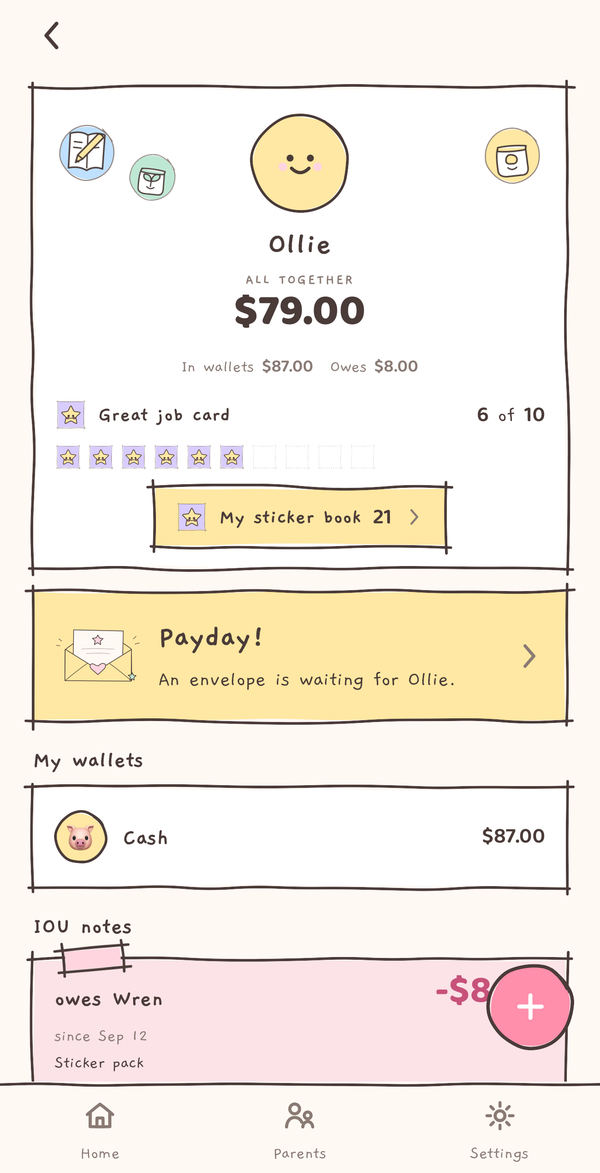
Ollie's own page
What your child sees: their balance, their stickers and what comes next. Today a payday envelope is waiting.
Tap the Payday card.
Premium
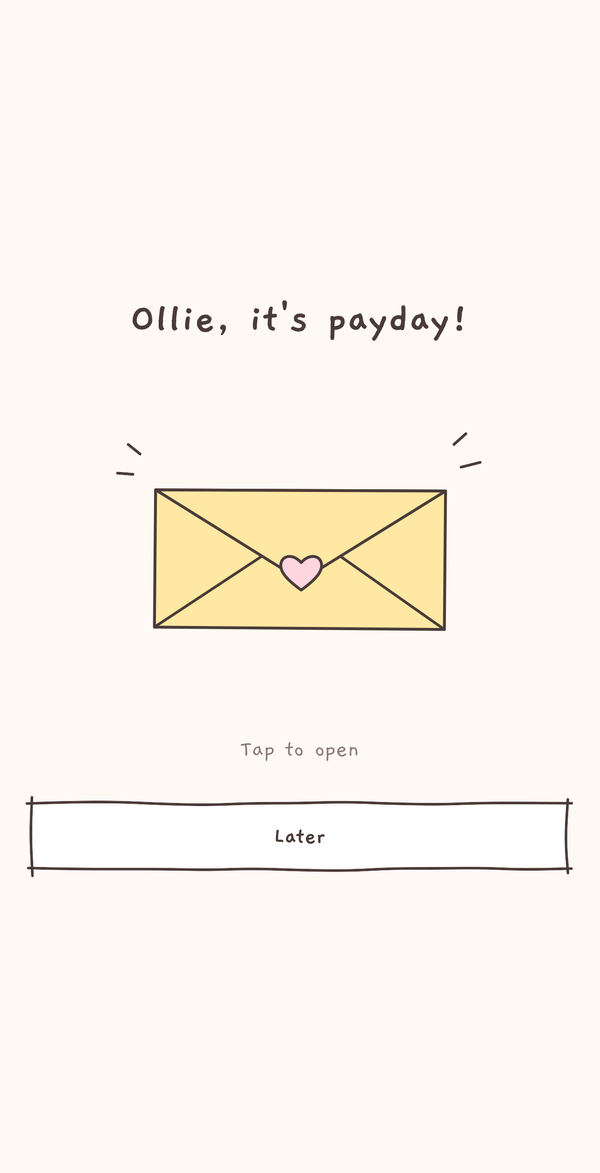
Payday envelope
On the day you chose, an envelope waits on your child's page for them to open.
Tap the envelope.

Premium
Opened together
Inside is the pocket money you planned. A grown-up hands it over and taps Yes, I gave it, and Fiabelle writes it down. It never moves money.
Use Back to go back.
Free Premium
Wren's sticker book
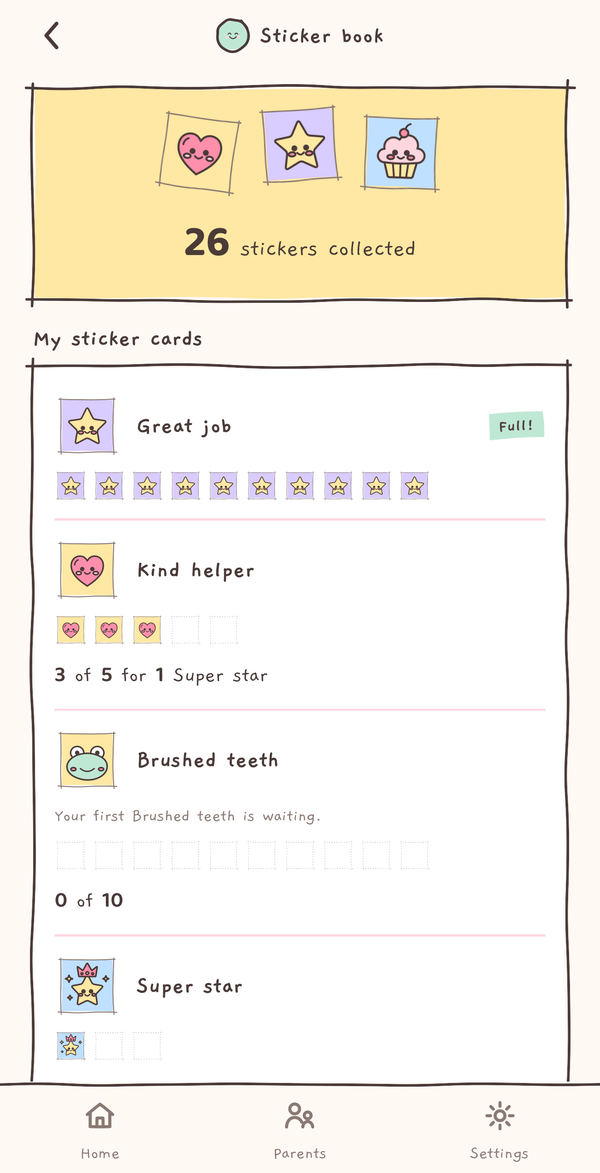
Every sticker Wren has collected, and her cards filling with good moments. Reading the book is free; sticker cards come with Premium.
Use Back for Wren's page.
Free Premium
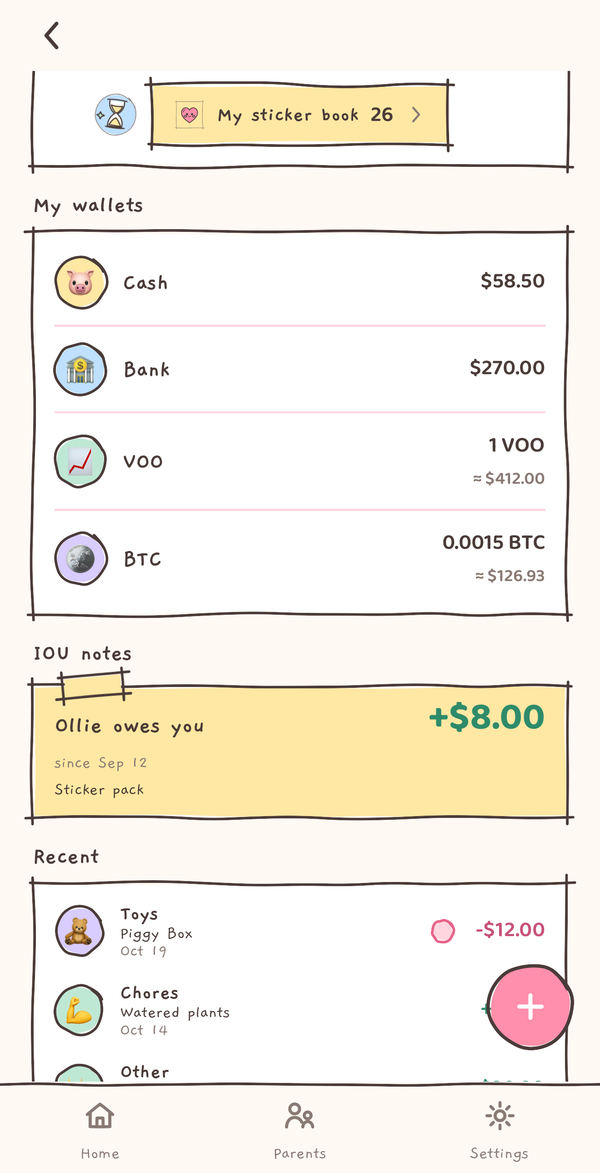
Wren's wallets
Cash and a bank wallet are free. With Premium, Wren also keeps a stock wallet and a crypto wallet beside them.
Tap the Bitcoin wallet, the Toys entry or the sticker book.
Premium
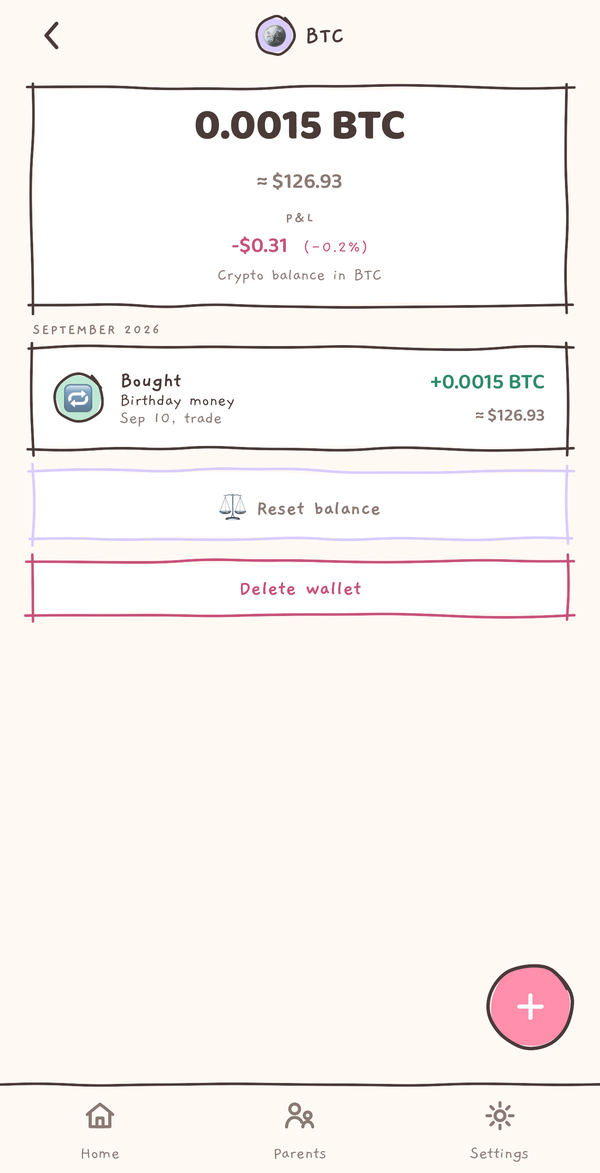
A crypto wallet
The coins are written down by hand. Their value comes from one public price list that is the same on every phone.
Use Back for Wren's page.
Free
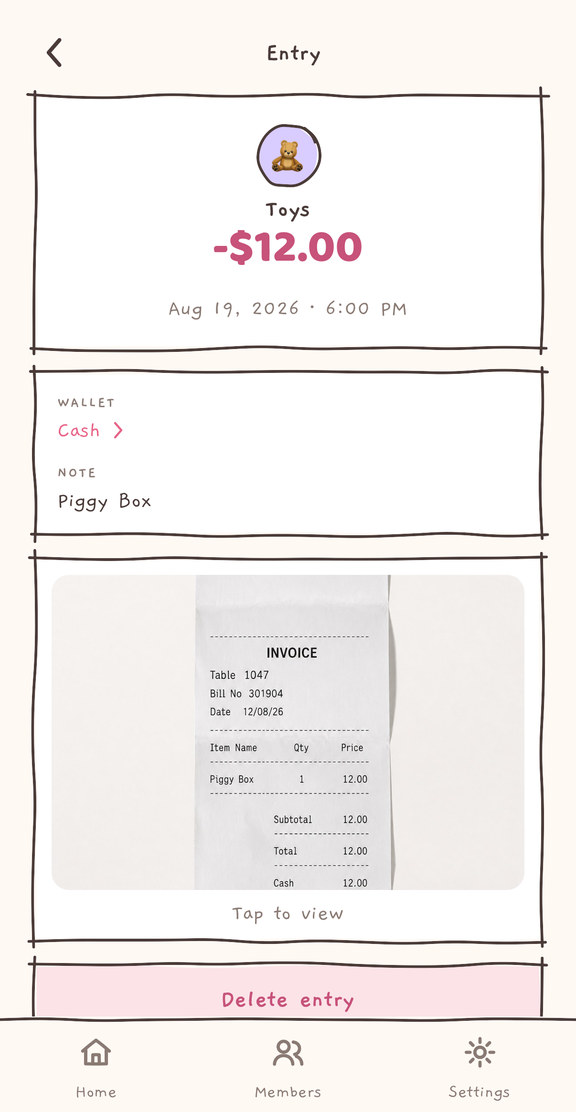
An entry with its receipt
Every entry is added by hand: what it was, which wallet, a note and, if you like, a photo of the receipt. Photos stay on the phone.
Use Back for Wren's page.
Free
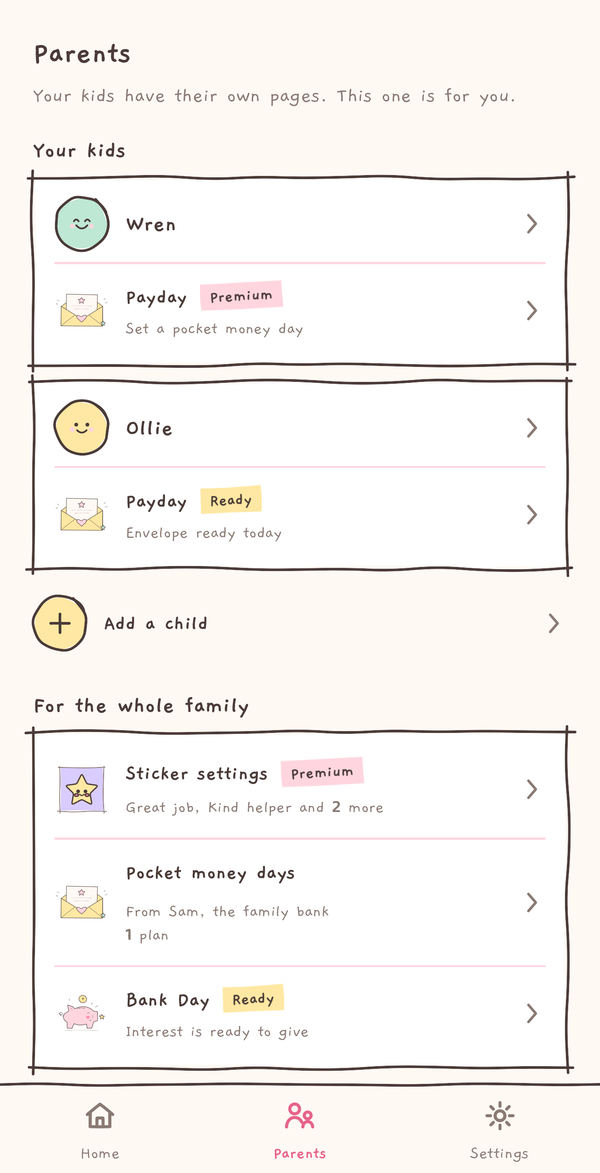
The Parents tab
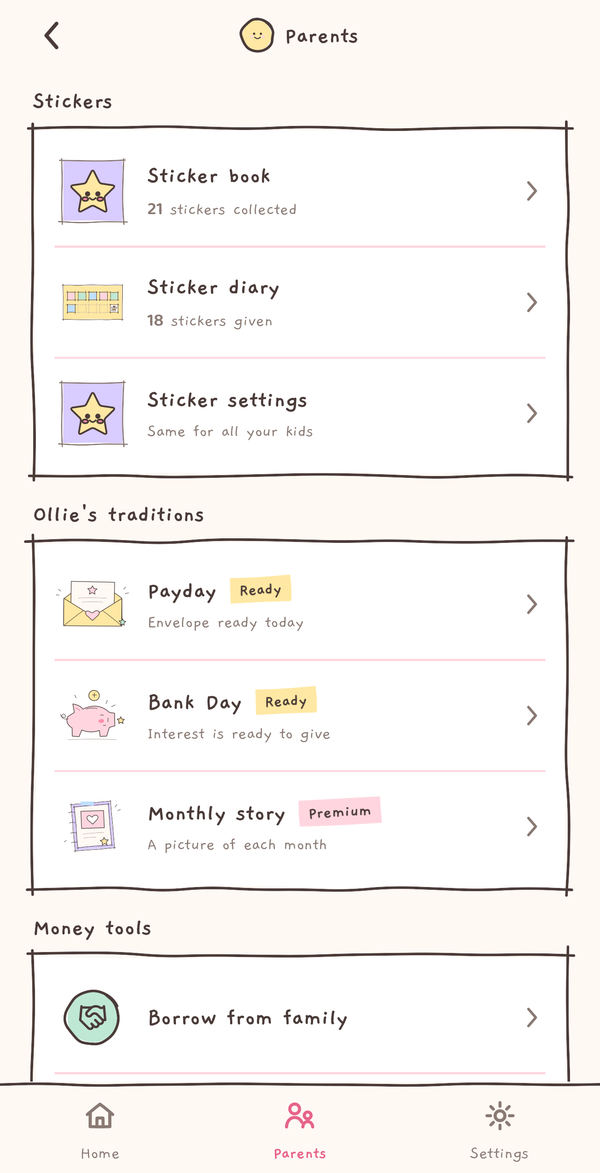
The grown-ups' side: a card for each child, then Sticker settings, pocket money days and Bank Day for the whole family.
Tap Ollie or Sticker settings.
Free Premium
Ollie's traditions
Each child has a parents page with their stickers, traditions and money tools. Payday, Bank Day and the monthly story are Premium.
Tap Monthly story.

Premium
Your monthly story
With Premium, each finished month becomes one picture to read together. Without it, this is the page you see.
Tap Explore Premium.
Premium
Sticker settings
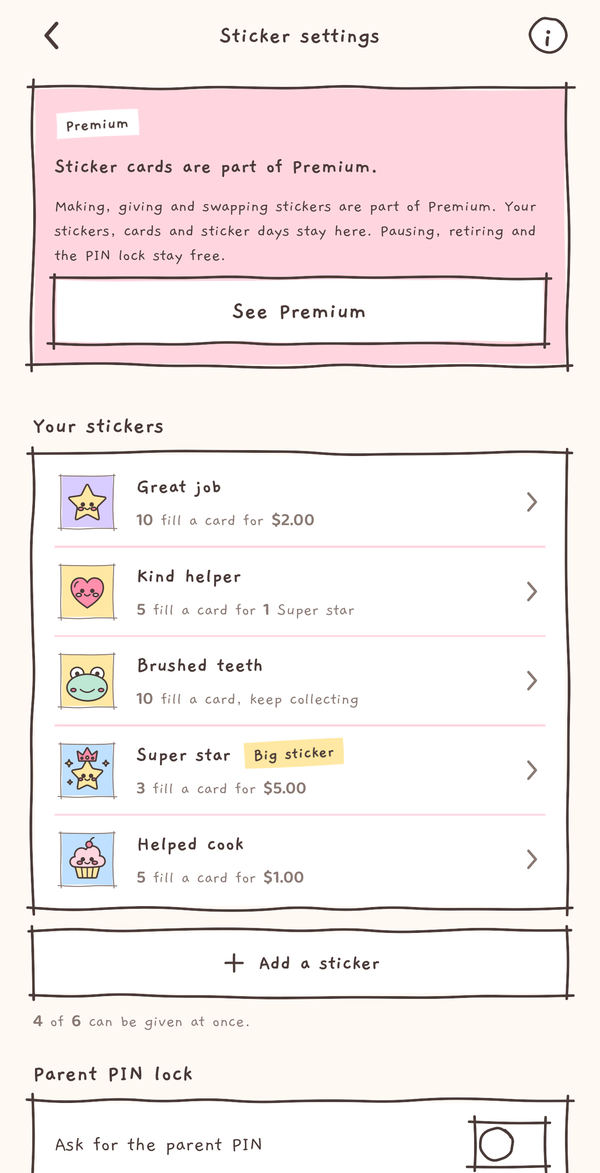
Choose the stickers for the whole family, and whether sticker changes ask for the Parent PIN. Looking is free; making, giving and swapping need Premium.
Tap Add a sticker.
Premium
Make a sticker
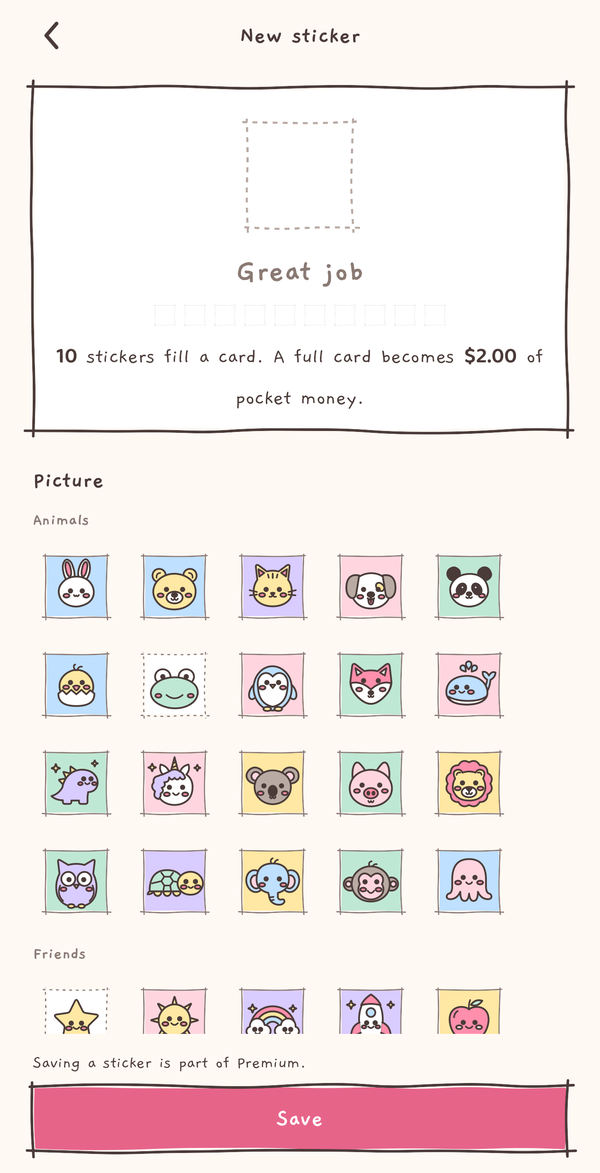
Pick one of 30 characters, a name, how many fill a card and what a full card becomes. Trying the editor is free; saving is Premium.
Use Back for Sticker settings.
Free
Settings
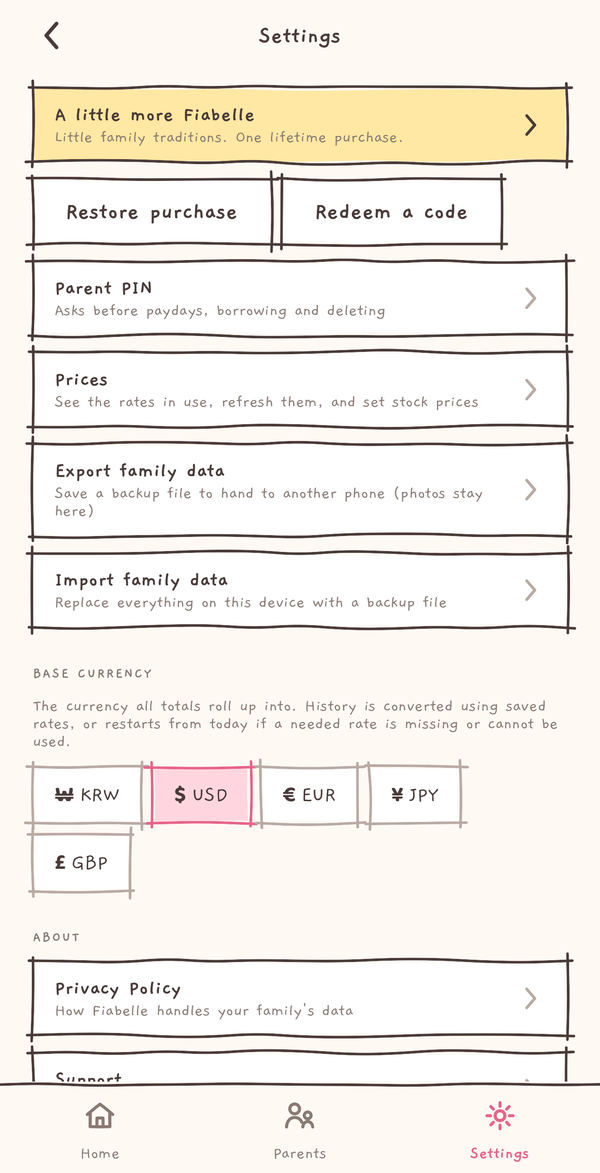
Prices, backups and the Parent PIN. Export writes a backup file that you keep.
Tap Export family data.
What makes Fiabelle different
-
Free
A page of their own
Your child opens their own storybook page: their money, their stickers and what comes next. You keep the controls in the Parents tab.
-
Free
Written down together
Pocket money in, a treat out, a plain IOU when someone borrows: add it by hand in a few taps, with a photo of the receipt if you like.
-
Free Premium
Praise that adds up
Saving and paying back earn free keepsake stickers. With Premium, design sticker cards that fill up with good moments.
-
Premium
Little family traditions
A payday envelope to open, a little Bank Day interest and a monthly story to read together.
-
Real money stays real
Fiabelle never moves money and links no bank, card or exchange. A grown-up hands it over, then writes it down.
-
Premium
Room to grow
More children and parents, stocks and crypto, and your choice of currency, with one lifetime purchase.



Start small. Make it a family tradition.
| In your family book | Free | Premium |
|---|---|---|
| Everyday records and photos | Included | Included |
| Plain IOUs and the family bank | Included | Included |
| Sticker book and money moments | Included | Included |
| Sticker cards | Not included | Included |
| Payday envelopes and Bank Day | Not included | Included |
| Your monthly story | Not included | Included |
Free: one parent and one child, one profile per role. Cash and bank wallets, plain IOUs, the family bank, photos, the sticker book and ledger export/import.
Premium also adds Room for every parent, Room for every child, Little investors for stocks and crypto, IOUs with interest and Your choice of currency. It is one lifetime purchase with no subscription. Saved and imported records stay yours to read and edit. Restore a purchase or redeem an Apple offer code in the app. How Premium works
Your family's book stays on your phone
No account, and no Fiabelle server to send it to. You hold every copy.
-
No account, no server
There is no sign-up, email or password, and no Fiabelle server. Names, entries, photos and stickers are saved on your phone, and Fiabelle never sends your family's book anywhere on its own.
-
One price list, the same for everyone
To show crypto and other currencies, the app fetches public prices from Binance and Frankfurter. It is one fixed list, the same on every phone, and it carries nothing about your family. Like any website, those providers see your IP address and request headers. Stock prices are typed in by you.
-
Backups are files you hold
Export writes your book to one file and hands it to your share sheet. You choose where it goes. Photos stay on the phone, and there is no automatic sync between phones. If your phone backs up to iCloud, that backup includes the app's storage.
-
Grown-ups decide
Set a Parent PIN, and paydays, borrowing and deleting ask for it first. Turn on the lock in Sticker settings, and sticker changes ask too.
-
Deleting stays in your hands
Delete family erases the book from this device. A file you exported, another phone you shared it with, or an earlier device or iCloud backup keeps its own copy.
-
No tracking, and Premium through Apple
Fiabelle has no ads, analytics or tracking code, and this website sets no cookies. Buying Premium goes through Apple's App Store and sends Apple nothing from your family's book.
Questions parents ask
Does Fiabelle move money?
No. Fiabelle links no bank, card or exchange. It only writes down what your family records, and you confirm each payday, Bank Day and sticker swap yourself.
Do I need an account?
No. There is no Fiabelle account, email or password. Your family book lives on your phone. An optional Premium purchase uses your App Store account through Apple.
Can two phones share one family?
Not automatically. One phone holds the family book. You can hand a copy to another phone with Export and Import, but the two then keep their own books.
What ages is it for?
Young children, about 4 to 10, using the phone with a parent. A parent sets it up and keeps the Parents tab; your child sees their own page.
Which devices does it work on?
iPhone and iPad, in portrait and full screen. Split View and Slide Over are not supported. Android, Mac, and Apple Vision Pro are not supported.
More answers on the support page.
Little choices, kept together.
Free to start. One lifetime purchase if you want more, never a subscription.
